
Body Language in the Digital Age

How non-verbal cues survive, distort and disappear on video calls — and how to read others and present yourself clearly when the body is reduced to a rectangle.
On a video call, most of your body language is gone and the rest is unreliable. What remains is a cropped head and shoulders, a delayed audio track, and a gaze that never quite meets anyone's. Reading people well in that setting means knowing which signals still carry information, which ones the medium invents, and which ones you should stop trying to interpret at all.
What the camera removes
In a room, you read a person with your peripheral vision as much as your focus: how they are sitting, whether their feet have turned toward the door, how they angle away when a topic lands badly, the small mirroring that happens when a group agrees. Almost none of that survives a webcam. The frame ends at the collarbone, the resolution flattens micro-expressions, and everyone is facing forward regardless of who they are actually attending to.
Timing goes too. A half-second of network latency turns a natural pause into a hesitation and an overlap into an interruption. The rhythm that tells you whether someone is thinking or disagreeing is degraded before it reaches you. So is the group signal: in a room you feel a shift in the collective mood, whereas on a grid of tiles you have to check twelve faces one at a time.
The result is a partial signal that still feels complete, which is the dangerous combination. You will form confident impressions from very little data. In pure text, the absence of cues is obvious — the problem described in the psychology of digital messaging — but on video, the visible face gives you false confidence that you know what is going on.
The cues that still mean something
A short list of signals remains reasonably informative on camera, because they survive compression and cropping.
Changes rather than states
A person's resting expression tells you very little; a change in it tells you a lot. Someone who has been nodding and stops, someone who leans back after leaning in, someone whose responses shorten after a specific sentence — these are comparisons against that person's own baseline, and they are the most reliable thing you have. Absolute readings ("she looks unhappy") are usually a webcam angle and a bad ceiling light.
Response latency and turn-taking
Allowing for lag, whether a person answers immediately or takes a beat carries meaning, especially when it changes mid-meeting. So does who stops taking turns. Someone who contributed steadily for twenty minutes and has said nothing since a decision was announced is telling you something, even with a neutral face.
Voice
Audio survives the medium far better than video. Pace, volume, breathiness and the length of pauses come through almost intact. If a call is going badly and you cannot tell why, close your eyes for a sentence and listen — you will often get more from the voice than from twelve postage-stamp faces.
What people do with the interface
Camera off, self-muted mid-discussion, eyes tracking a second screen, a reply in chat instead of out loud: these are digital-native non-verbals. They are ambiguous — a camera goes off for childcare as often as for disengagement — so treat them as prompts to check in rather than conclusions.
Signals that mean less than you think
The table below separates the cues worth attending to from the ones the medium manufactures. Misreading the second column is the main source of unnecessary friction on remote teams.
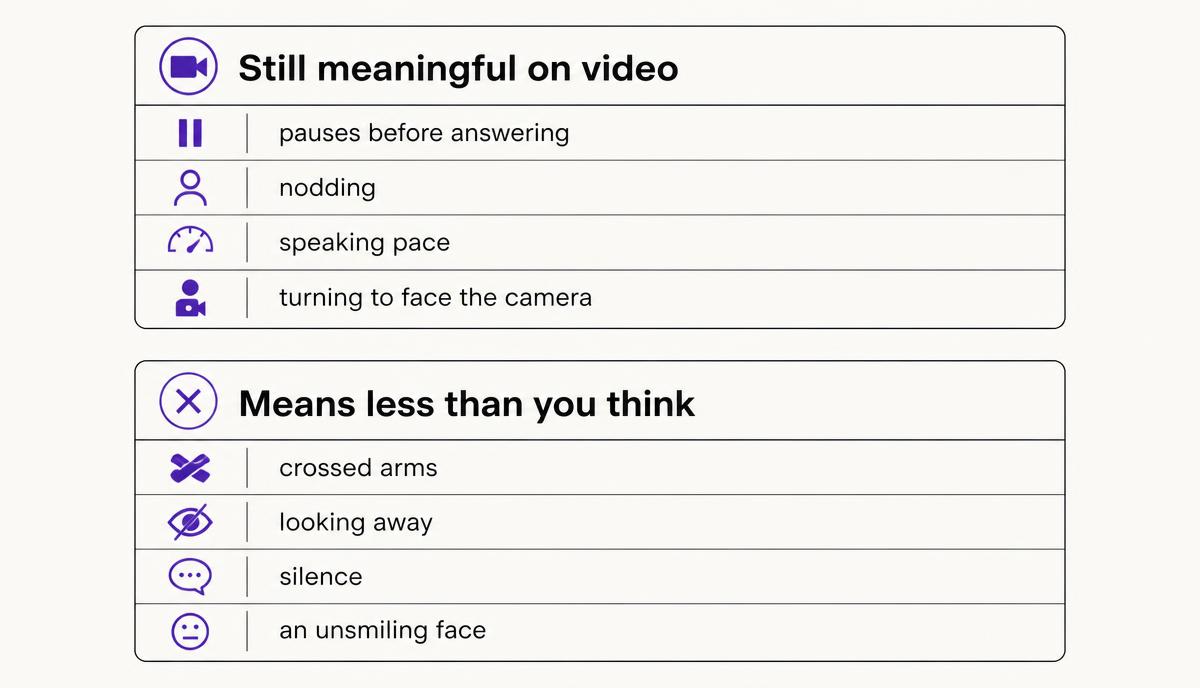
| Cue | Common interpretation | What it often actually is |
|---|---|---|
| Not looking at you | Avoidance or disinterest | Camera and window are in different places; they are looking at your face on screen |
| Long pause before replying | Disagreement or reluctance | Network latency plus mute-button lag |
| Flat facial expression | Boredom or displeasure | Low frame rate, poor lighting, and the natural face people wear when concentrating |
| Camera off | Disengaged or hiding something | Bandwidth, background noise, care duties, or simple video fatigue |
| Typing during the call | Multitasking on something else | Taking notes, or answering a question in the chat panel |
| Sudden silence from one person | Sulking | Genuine disengagement — this one is usually worth checking |
Presenting yourself on camera
Because so much is stripped away, the small amount that remains carries disproportionate weight. Setup is not vanity; it is bandwidth for your own signal.
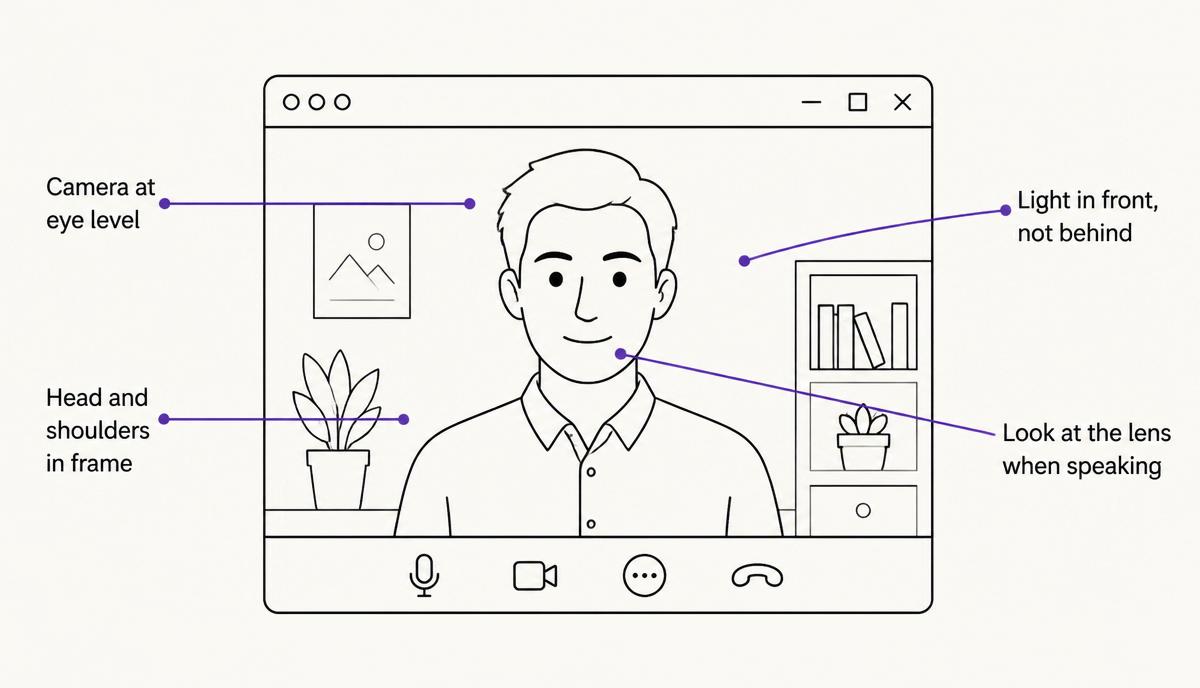
- Put the camera at eye level. Shooting up from a laptop on a desk distorts your face and reads as looming; a stack of books fixes it in ten seconds.
- Frame from mid-chest, leaving a little headroom, so your hands enter the frame when you gesture. Gestures that happen below the crop simply do not exist.
- Light your face from the front. A window behind you turns you into a silhouette, which removes every expression you might have made.
- Glance at the lens when you make a point, and at the screen the rest of the time. Constant lens-staring is uncomfortable for both sides.
- Nod and use short verbal acknowledgements while others speak. On video, visible listening has to be slightly larger than in a room to register at all.
- Mute when you are not speaking on large calls, but unmute early — clipping the first two words of your sentence costs you more than the keyboard noise would.
Presence is also structural. Speaking early in a meeting, even briefly, makes it far easier to contribute later, because you have established that you are a participant rather than an attendee. If that is difficult for you, the register work in passive vs. assertive vs. aggressive applies directly to the moment of cutting in.
Running calls that produce readable signals
If you lead the meeting, you can design around the missing cues instead of straining to detect them. Name people directly rather than asking the group — "Priya, does that match what you are seeing?" — because open questions to a grid produce silence. Build in explicit checkpoints: after any decision, ask whether anyone wants to argue against it, and wait through the pause. Use the chat panel deliberately for reactions and questions rather than treating it as noise.
Above all, replace inference with asking. The whole discipline of active listening is more valuable on video than in person, precisely because you cannot fall back on reading the room. A single sentence — "I might be misreading this, but you seemed less sure after the last point" — recovers information the medium destroyed.
Know when to leave the call
Some conversations need more non-verbal bandwidth than a video call can carry: performance feedback, conflict between team members, anything where the other person's dignity is at stake. When the stakes are that high, a phone call can be better than video because it removes the distracting pseudo-signals and keeps the reliable ones, and an in-person meeting is better still when it is available.
Frequently asked questions
Should I insist that my team keeps cameras on?
Requiring cameras for every call tends to raise fatigue without improving decisions. A workable middle ground is cameras on for discussions, decisions and one-to-ones, and optional for status updates or long working sessions. Say which kind of meeting it is in the invitation so nobody has to guess.
Why does eye contact feel impossible on video?
Because the camera and the other person's face are in different places, so looking at them means looking away from the lens. Nobody can solve this. Move your meeting window as close to the camera as possible, glance at the lens on key sentences, and stop reading anyone's averted gaze as evasion.
How do I tell if someone is upset when I cannot see the room?
Look for changes against that person's own baseline — shorter answers, withdrawal from turn-taking, a shift in voice — then check privately rather than in the group call. Describe what you noticed and offer an easy exit: "You went quiet after the scope change. Is there something you want to push back on?"
Do virtual body language norms differ across cultures?
Yes. Expectations about directness of gaze, comfort with silence, and how much visible reaction is appropriate vary considerably, and the camera exaggerates the mismatch. The considerations in cultural differences and communication apply to reading video as much as to writing email.
Related Articles
How to Set Boundaries at Work (Without Sounding Difficult)
A practical guide to setting boundaries at work: the four kinds of limits worth defining, the sentences that hold them, how to handle pushback, and what to do when the boundary keeps getting crossed.
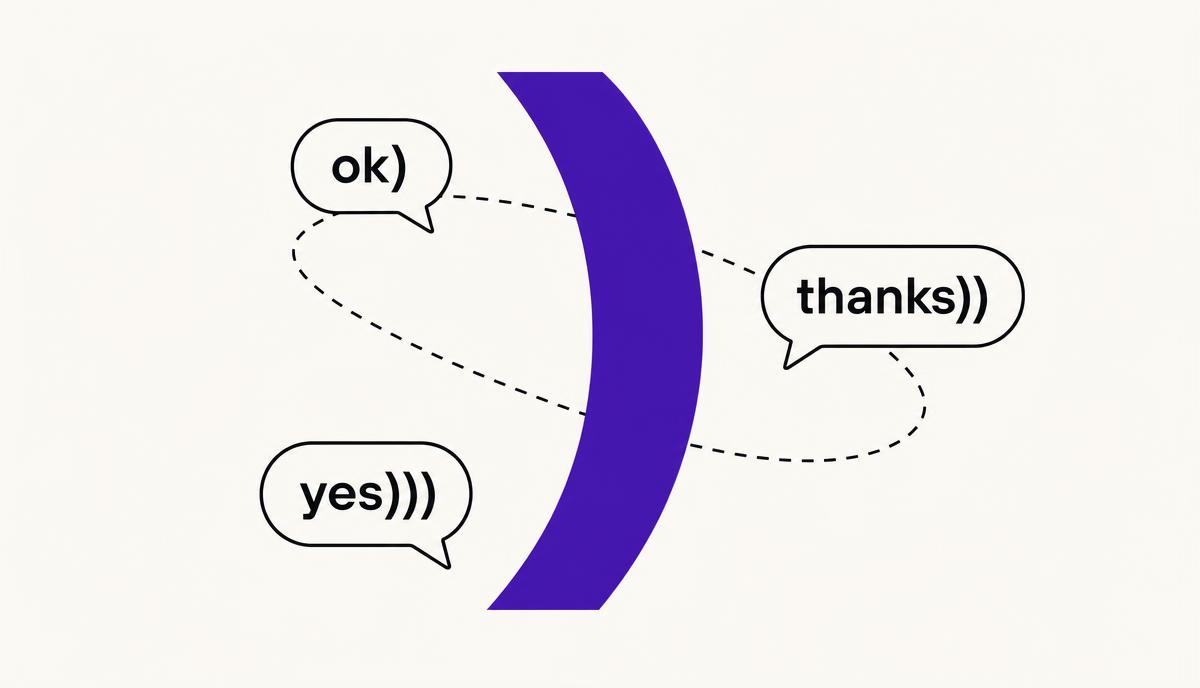
What Does ")" Mean in Chat? The Bracket Smiley, Explained
A lone ")" at the end of a message is a smiley with the eyes left off — and a strong signal you are talking to someone from Eastern Europe. Here is what it means, why it exists, and how to read it correctly.
How to Ask for a Raise by Email (Templates and Scripts)
A practical guide to writing the email that asks for a raise: when to send it, what evidence belongs in it, three templates you can adapt, and the wording that keeps the tone confident rather than apologetic.